iOS HyperOS Theme Captain Cook Super 3D for Xiaomi and Redmi Phones
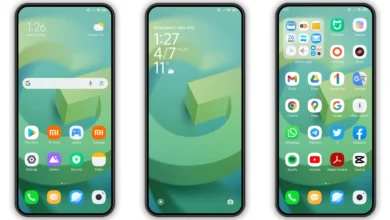
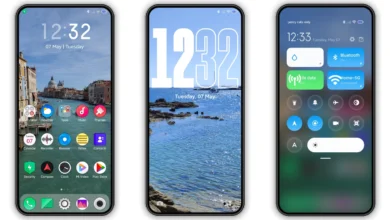
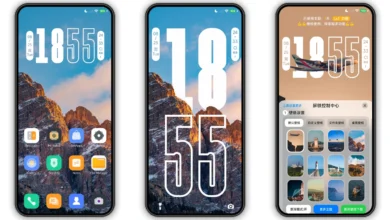
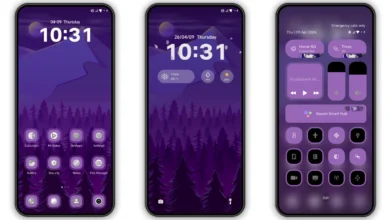
Hi Xiaomi and Redmi fans, today I’m sharing a new HyperOS theme Captain Cook Super 3D for your Xiaomi phones. This HyperOS theme can change the look of your Xiaomi, Redmi and POCO phones, personalize your phones with awesome look and make it different with others.
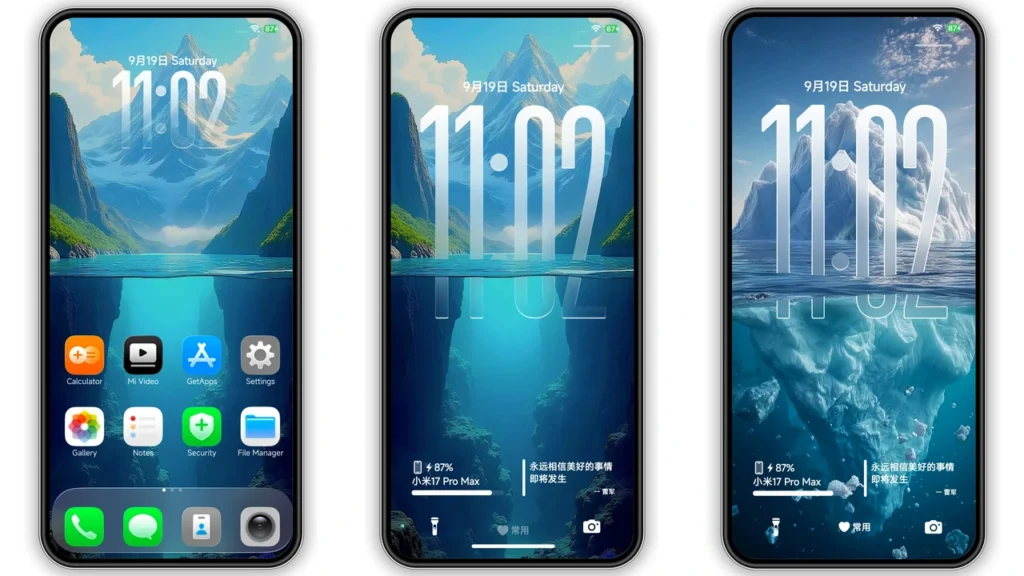
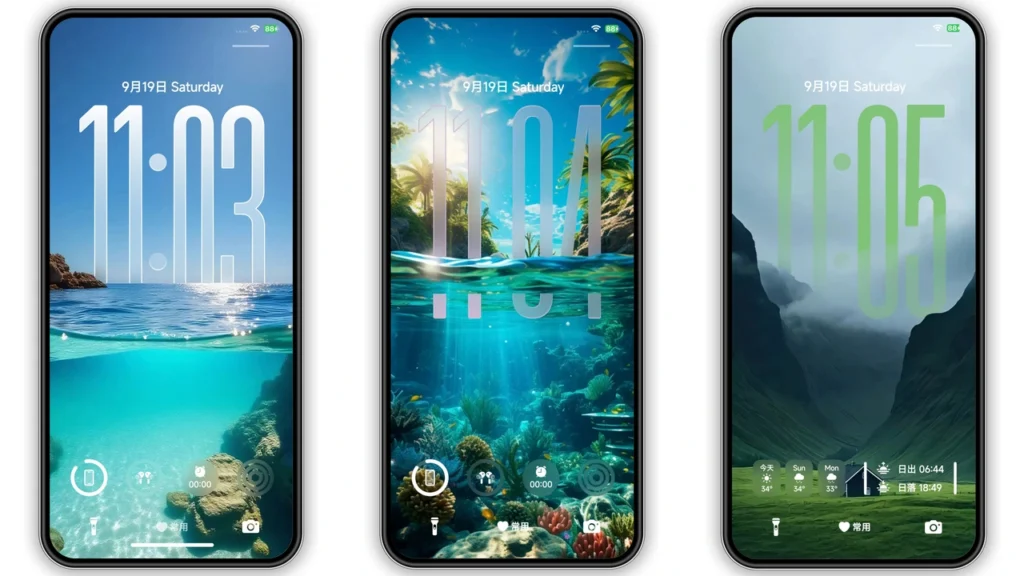
Give your Xiaomi, Redmi, or POCO device a premium, iOS-inspired makeover with the Captain Cook Super 3D HyperOS Theme. Combining high-definition 3D oceanic and landscape wallpapers with sleek iOS-style app icons, translucent control center toggles, and dynamic lockscreen customization, Captain Cook Super 3D delivers a smooth, modern visual upgrade.
Captain Cook Super 3D HyperOS theme is an attractive theme for your Xiaomi and Redmi phones. It brings you the new well designed icons, fresh wallpapers, new status bar, cool lock screen, stylish Always-on Display and many other great changes which you’ll love using it on your smartphone. This Xiaomi theme is completely free to use, so just download and apply it making a good feeling everyday.
Captain Cook Super 3D HyperOS theme is compatible with HyperOS and works on Xiaomi, Redmi and POCO smartphones. If you like to try new themes on your smartphone and want a different look over your stock themes, then just download the Captain Cook Super 3D HyperOS theme and share it to others.
Captain Cook Super 3D HyperOS Theme Preview
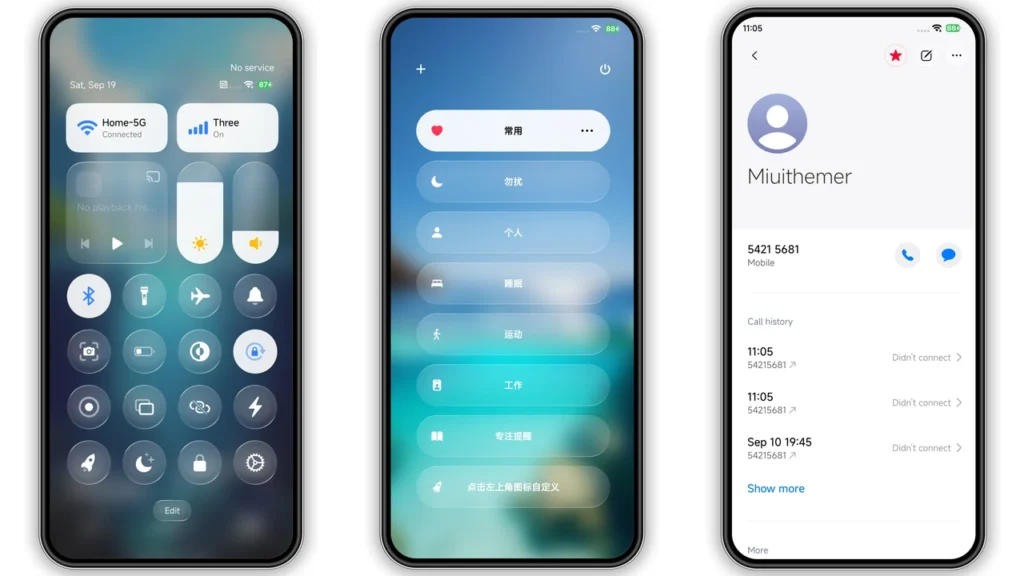
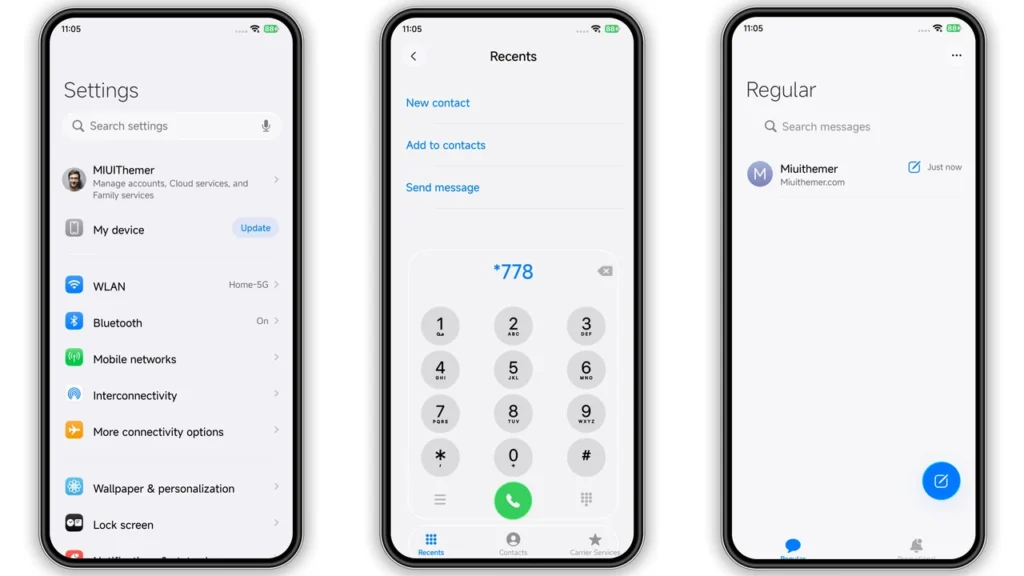
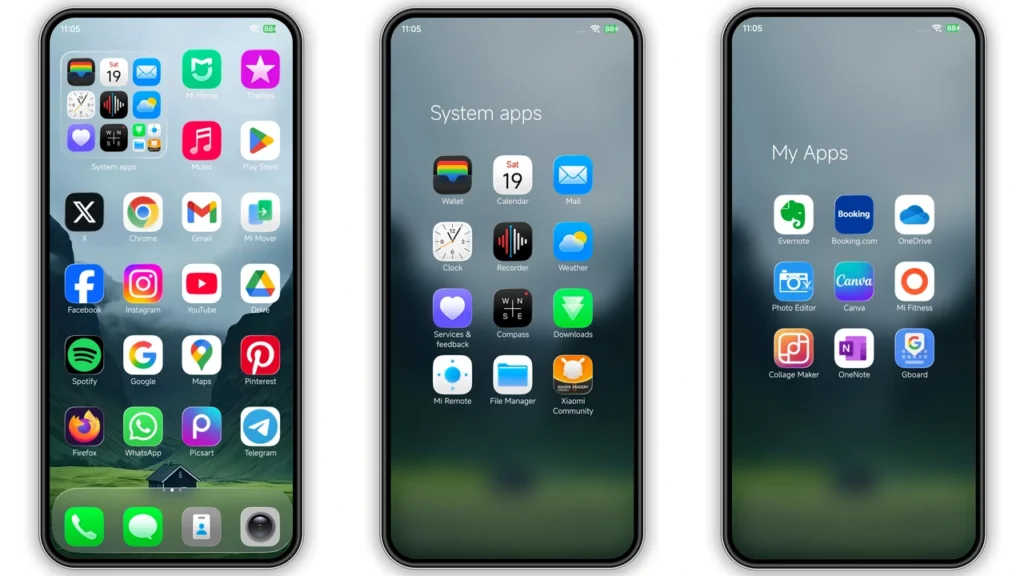
Captain Cook Super 3D Theme Details
- Theme Size: 69.36 MB
- Designer: 库克船长
- Region/Server: China
- Compatibility: HyperOS | HyperOS 2.0 | HyperOS 3.0
- Features: Premium, Cool, Ios, Wallpapers, Customizable
Theme’s description:
General function introduction:
- Swipe up to unlock (supports unlocking area customization)
- Double-click the small white bar at the bottom to enter the editing page (date, time, widgets, shortcut keys, fingerprints, icons, wallpapers, switches)
- Slide the lock screen message to the right to delete it (supports stacked notifications)
Super function description:
- [Super 3D Space Depth of Field Wallpaper] has 24 built-in wallpapers, which are customizable and support lock screen desktop linkage. You can unlock one wallpaper every day for surprises every day!
- [Super Folder Wallpaper] supports customizing hundreds of wallpapers, which can be switched randomly for more playability!
- [Super Date + Time] 26 styles of date and 12 styles of time, supporting color, size and height customization!
- [Super Fingerprint] Built-in 6 kinds of custom fingerprints, customizable icons, blurred background, and hidden fingerprints!
- [Super Icons] Built-in 2 sets of icons (light + dark) support system-level switching, and support individual customization of each icon on the desktop!
- [Super Widget] Built-in 58 kinds of widget content: various information, pictures, text, countdown, etc.! Support customization!
- [Super lock screen Dock] Choose one of two widgets, 6 software quick start, support customization!
- [Super Focused Reminder] Supports 8 types of reminder labels, with icons and customizable!
- [Super stack notification] supports expansion and merge, separate closing, merge closing, and all content in the message supports customization!
- [Super Lock Screen Music] Automatically wake up the music module, click the album to switch to full screen, and support Standby horizontal screen display!
- [Super Island Pro] Super Island PRO customized enhancement software needs to be downloaded and installed separately. !
- [Super Animation] Supports 7 kinds of bright screen animations, 3 kinds of lock screen charging animations, and simulates face recognition animations!
- [Standby] supports 5 standby styles and can always be displayed, so the old mobile phone can be used as a clock!
- [Super Control Center] Mobile phone status, music, focus mode, weather, date, locked by default.
- There are too many functions, and the introduction exceeds the number of words and cannot be written. If you explore slowly, you will definitely be surprised! ! !
Download
Captain Cook Super 3D Theme mtz File
Captain Cook Super 3D Theme Backup File

You may also like: Best HyperOS Theme You Should Try [2026]
How to Apply HyerOS and MIUI Themes [Stock Roms]
If you have HyerOS or MIUI Global Stable ROM(Stock ROM) running on your device, please follow this instruction to install and apply the theme.
- Open this page with Firefox browser.
- Click the “Official Theme Store Link” in the download area.
- This will open a xiaomi theme page in Chinese language, then open the 3 dots in the right corner, select “Open in app“.
- It will open the Theme Store APP “Themes Store” to download the theme.
- Download and Apply the theme.
If you have MIUI 14 ROM, please follow this instruction to install and apply the theme.
Note: If the “Official Theme Store Link” does not work then please open this page in Chrome Browser or the Default Xiaomi Browser and try again, the other browsers may not work.
How to Apply HyerOS and MIUI Themes on [Custom ROMs]
If you have any MIUI 11, 12, 13, 14 or HyperOS based custom ROMs like Xiaomi EU ROM, MIUIRoom and others, you can install MIUI theme with MTZ file.
- Download the mtz theme file from the download link.
- Open the Theme Store APP and tap to Themes option.
- Swipe to bottom and click Import.
- Import the xxx.mtz file just downloaded.
- Apply the theme.